Here are Apple’s release notes for macOS Ventura 16.2:
Freeform
– Freeform is a new app for working creatively with friends or colleagues on Mac, iPad and iPhone
– A flexible canvas lets you add files, images, stickies, and more
Advanced Data Protection for iCloud
– New option expands the total number of iCloud data categories protected using end-to-end encryption to 23 — including iCloud Backup, Notes, and Photos — protecting your information even in the case of a data breach in the cloud
This update also includes the following improvements and bug fixes:
– Improved search in Messages allows you to find photos based on their content, like a dog, car, person, or text
– Participant Cursors in Notes allow you to see live indicators as others make updates in a shared note
– Play sound in Find My app can now help you pinpoint the location of nearby AirTags, AirPods Pro (2nd generation) case, and Find My network accessories
– Fixes an issue that causes some notes not to sync with iCloud after updates are made
– Fixes an issue where you may lose keyboard and mouse input in some apps and games
macOS Ventura 16.2 can be downloaded for free on all eligible Macs using the Software Update section of System Settings. Apple has also released macOS Big Sur 11.72 and macOS Monterey 12.6.2 for Mac users that are not able to update to Ventura.
iOS 16.2 AND iPADOS 16.2
Here are Apple’s release notes on iOS 16.2 and iPadOS 16.2:
Freeform
– Freeform is a new app for working creatively with friends or colleagues on Mac, iPad and iPhone
– A flexible canvas lets you add files, images, stickies, and more
Drawing tools let you sketch anywhere on the canvas with your finger
Apple Music Sing
– A new way to sing along with millions of your favorite songs in Apple Music
– Fully adjustable vocals let you duet with the original artist, sing solo, or mix it up
– Newly enhanced beat-by-beat lyrics make it even easier to follow along with the music
Advanced Data Protection for iCloud
– New option expands the total number of iCloud data categories protected using end-to-end encryption to 23 — including iCloud Backup, Notes, and Photos — protecting your information even in the case of a data breach in the cloud
Lock Screen
– New settings allow you to hide wallpaper or notifications when Always-On display is enabled on iPhone 14 Pro and iPhone 14 Pro Max
– Sleep widget lets you view your most recent sleep data
– Medications widget lets you view reminders and quickly access your schedule
Game Center
– SharePlay support in Game Center for multiplayer games so you can play with the people you are on a FaceTime call with
– Activity Widget allows you to see what your friends are playing and achieving in games right from your Home Screen
Apple TV
– Live Activities for Apple TV app let you follow your favorite teams with live scores right on your Lock Screen or in Dynamic Island on iPhone 14 Pro and iPhone 14 Pro Max
Home
– Improved reliability and efficiency of communication between your smart home accessories and Apple devices
This update also includes the following improvements and bug fixes:
– Improved search in Messages allows you to find photos based on their content, like a dog, car, person, or text
– Turn Off Hide IP Address setting enables iCloud Private Relay users to temporarily disable the service for a specific site in Safari
– News articles in Weather display information relevant to the weather in that location
– Participant Cursors in Notes allow you to see live indicators as others make updates in a shared note
– AirDrop now automatically reverts to Contacts Only after 10 minutes to prevent unwanted requests to receive content
– Crash Detection optimizations on iPhone 14 and iPhone 14 Pro models
– Fixes an issue that causes some notes not to sync with iCloud after updates are made
Apple also has some iPad specific notes:
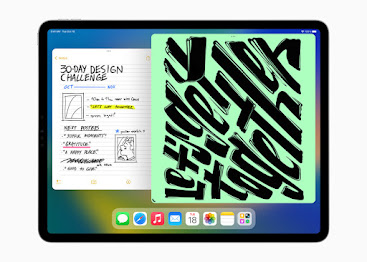
Stage Manager
– External display support with resolutions up to 6K available on iPad Pro 12.9-inch (5th generation and later), iPad Pro 11-inch (3rd generation and later), and iPad Air (5th generation)
– Drag and drop files and windows from your compatible device to your connected display, and vice versa
– Support for using up to 4 apps on the iPad display and 4 on the external display
iPad Specific Features and Fixes
– Tracking Notifications alert you if an AirTag separated from its owner is nearby and has recently played a chime to indicate it is moving
– Fixes an issue that may cause Multi-Touch gestures to become unresponsive while using the Zoom accessibility feature
iOS 16.2 and iPadOS 16.2 can be downloaded on eligible iPhones and iPads over-the-air by going to Settings —> General —> Software Update.
Apple has also released iOS 15.7.2 for iPhone users who have older devices, with the update offering security improvements.
tvOS 16.2
tvOS 16.2 brings multi-user voice recognition for Siri and also Apple Music Sing with the karaoke experience. t can be downloaded by going to the Settings app on your Apple TV set-top box. Then go to System —> Software Update.
watchOS 9.2
Here are Apple’s release notes on watchOS 9.2:
watchOS 9.2 includes new features, improvements, and bug fixes, including:
– Outdoor Run workout now automatically detects when you arrive at a running track and provides track specific metrics
– Race Route lets you compete against your previous performance in Outdoor Run, Outdoor Cycle, and Outdoor Wheelchair Workouts
– New custom Kickboxing algorithm in the Workout app for more accurate metrics
– Noise app displays when environmental sound levels are reduced while wearing AirPods Pro (1st generation) and AirPods Max with active noise cancellation
– Family Setup users can be invited to the Home app to control HomePod speakers and smart home accessories, and unlock doors with home keys in Wallet
– Accessibility support to visualize when Siren is in use on Apple Watch Ultra
– Improved response time and accuracy of hand gesture controls for AssistiveTouch and Quick Actions
– Crash Detection optimizations on Apple Watch Ultra, Apple Watch Series 8, and Apple Watch SE (2nd generation)
– Fix for bug that causes display of incorrect watch time immediately after dismissing an alarm in Sleep Focus
– Fix for bug causing interruptions to mindfulness sessions
Apple Watch owners can download the update by opening up the Apple Watch app on their iPhone and going to General —> Software Update.